Five videos · 23 minutes · contractor action plans

Build a lead system that follows through.

A practical mini-course for capturing inquiries, booking inspections, automating useful follow-up, and putting the right opportunities in front of a person.

Use automation to shorten delays—not to diagnose conditions, promise outcomes, or contact people without the required permission.

The operating idea

Automate the handoff, keep judgment human.

The best first workflow is not a long campaign. It is the path between a prospect asking for help and a team member owning the next action.

Inquiry→Record→Response→Booking→Estimate→Follow-up

Every branch needs a stop condition: reply received, appointment booked, opportunity closed, consent withdrawn, or a person taking over.

Watch, decide, implement

Five short lessons with field assignments.

The videos explain the HighLevel features. The notes below translate each feature into a safer, contractor-sized workflow.

Embedded from YouTube using privacy-enhanced mode. YouTube's controls and terms apply after playback starts.

Lesson 011:48

Protect the front door: smarter AI call endings and spam filtering

Use call-ending rules and spam protection to preserve call minutes for real prospects while making sure genuine water-loss callers still reach a useful next step.

What to take into the business

  • Define the information an automated call must capture before it ends.
  • Choose a conservative spam threshold and keep a review path for false positives.
  • Route urgent or uncertain situations to a person instead of letting automation guess.
Field assignment

Write the five fields every inbound caller should leave with you: name, callback number, property ZIP, reason for calling, and requested next step.

Check the related HighLevel documentation

Embedded from YouTube using privacy-enhanced mode. YouTube's controls and terms apply after playback starts.

Lesson 0213:14

Turn interest into a booked inspection

Build a booking calendar around real crew availability, buffers, confirmation messages, reminders, and a clear cancellation or rescheduling path.

What to take into the business

  • Create separate appointment types when duration or preparation differs.
  • Connect the team's real calendars before publishing availability.
  • Test confirmation, reminder, cancellation, and reschedule branches yourself.
Field assignment

Create one appointment type for the inspection you book most often. Set duration, travel buffer, service-area note, and the information dispatch needs before the visit.

Check the related HighLevel documentation

Embedded from YouTube using privacy-enhanced mode. YouTube's controls and terms apply after playback starts.

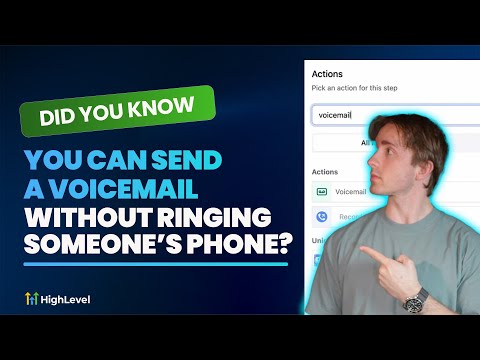
Lesson 031:02

Use voicemail drops as a measured follow-up step

Add a short prerecorded message to a workflow when it is appropriate and permitted, then give the recipient one obvious way to respond.

What to take into the business

  • Use a 20–30 second recording with your name, company, reason, and callback path.
  • Trigger it from a specific status or elapsed time—not an indiscriminate list.
  • Confirm consent and prerecorded-call rules before using this channel.
Field assignment

Record one plain-language message for a requested-estimate follow-up. Do not add urgency that is not real, and stop the workflow when the customer replies.

Check the related HighLevel documentation

Embedded from YouTube using privacy-enhanced mode. YouTube's controls and terms apply after playback starts.

Lesson 043:10

Send useful SMS without treating every contact the same

Filter the audience, personalize the message, choose immediate, scheduled, or drip delivery, and monitor results without texting people who never asked to hear from you.

What to take into the business

  • Segment by a real operational reason, such as open estimate or upcoming visit.
  • Identify the business and provide the required opt-out path.
  • Use workflows for event-based messages and bulk sends for genuine one-time updates.
Field assignment

Build a test list containing only your own number. Verify merge fields, sender identity, STOP handling, timing, and the workflow exit condition before adding customers.

Check the related HighLevel documentation

Embedded from YouTube using privacy-enhanced mode. YouTube's controls and terms apply after playback starts.

Lesson 054:11

Let behavior decide who gets human attention first

Assign simple scores to meaningful actions—replies, forms, appointments, and estimate activity—so the team works a prioritized queue instead of chasing every lead equally.

What to take into the business

  • Start with five or fewer rules your team can explain.
  • Give replies and booked appointments more weight than passive opens.
  • Create a threshold that assigns a human owner and a dated next action.
Field assignment

Draft a small scoring model: +10 reply, +15 appointment booked, +8 estimate link clicked, −10 bounce, and −100 opt-out. Adjust only after reviewing real outcomes.

Check the related HighLevel documentation

Put the lessons into practice

Build one contractor lead workflow in HighLevel.

Start with an inquiry, assign an owner, offer a booking step, and follow up until a person replies. Build around your own services, test with internal contacts, and keep human fallback paths.

Affiliate disclosure: This is a sponsored affiliate link. WaterProStack may earn a commission if you start a trial or purchase, at no additional cost to you.

Explore HighLevel + its current trial offer Review HighLevel's current plans, trial terms, eligibility, and usage charges before starting.
Your first workflow checklist
  • Capture the inquiry and its source
  • Assign a person and a next action
  • Offer a valid inspection time
  • Stop reminders when the customer replies
  • Test every handoff before launch

Before any workflow goes live

The seven-point contractor test.

  1. Use a test contact.Do not experiment on a customer's phone or email.
  2. Preserve the source.Keep the form, page, campaign, and received timestamp.
  3. Assign an owner.Every qualified record needs a person and due time.
  4. Write exit conditions.Reply, booking, closure, opt-out, or human takeover stops the sequence.
  5. Test every branch.Include failure, reschedule, cancellation, bounce, and STOP paths.
  6. Check permission.Document consent appropriate to every automated channel.
  7. Review weekly.Compare response, contact, booking, authorization, error, and opt-out rates.

Free 14-day implementation series

One useful assignment each morning.

Get the five videos, contractor-specific checklists, workflow guardrails, and a practical 14-day trial build plan by email.

Ready to test the system?

Start with one lead path and prove every handoff.

Affiliate disclosure: WaterProStack may earn a commission from this link at no extra cost to you.

Review HighLevel + start your trial